REVIEW · ISTANBUL
Pocket Wifi Turkey- Unlimited
Book on Viator →Operated by Pocket Wifi Turkey - Fastest mobile wifi service in Turkey · Bookable on Viator
A pocket WiFi router can save a trip. I like how small it is, and I like that it sets up a private WiFi zone you can share without hunting for public hotspots. The other big plus is Turkcell SIM activation handled by an official agent—so you’re not stuck figuring out mobile data setup on day one.
Here’s the main consideration: the connection isn’t guaranteed forever. One piece of feedback mentioned the device worked at first, then lost signal later, and the user couldn’t reach support by phone or WhatsApp at that time. The provider’s response points to a phone number on the box with 24/7 help, but it’s smart to plan for a quick contingency if your signal drops.
For most people, this is a simple add-on that makes Istanbul feel easier—maps work, messages send, and you’re not paying random roaming rates. Just remember you must bring your passport for registration and sign a subscription agreement at pickup.
In This Review
- Key things to know before you pick up Pocket WiFi
- Pocket WiFi Unlimited in Istanbul: why this is a practical choice
- Istanbul Airport pickup: what you’ll do first
- Passport and registration: the part that matters most
- Getting online: how the pocket WiFi experience works day to day
- The main risk: signal dropouts and how to respond fast
- Price and value for $60.47 per group (up to 1)
- Duration: what 1 to 30 days means for your planning
- Who this Pocket WiFi plan suits best
- Should you book Pocket Wifi Turkey – Unlimited?
- FAQ
- FAQ
- Where do I pick up the Pocket WiFi device?
- What time does the experience start?
- How long can I rent the unlimited Pocket WiFi?
- Do I need a passport for pickup?
- Does the device work with a SIM card?
- Is it really unlimited?
- Can I share the connection with others?
- Do I have to sign anything at pickup?
- What if I have a signal problem?
- Can I cancel for a full refund?
Key things to know before you pick up Pocket WiFi
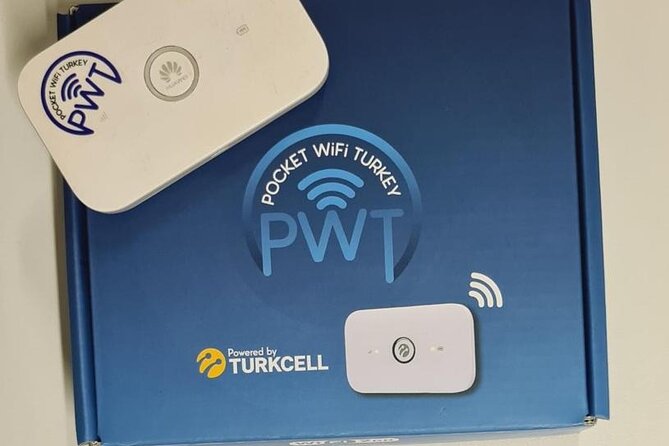
- It’s a pocket router + SIM-based setup, not a phone plan
- Turkcell registration is handled for you, using your passport at the counter
- Your WiFi is personal and shareable with other people you’re with
- One purchase covers up to 1 person per group, so plan device needs accordingly
- Support is reachable 24/7, based on the provider response to a signal issue
Pocket WiFi Unlimited in Istanbul: why this is a practical choice
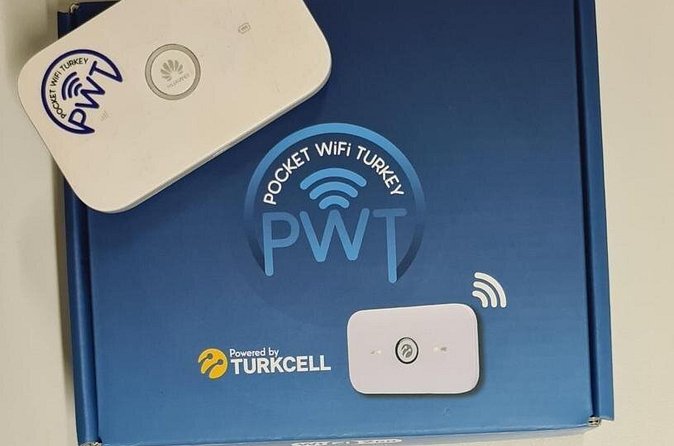
Pocket WiFi sounds like a gadget. In real life, it’s one of the simplest ways to stop your trip from turning into a data scavenger hunt. You’re carrying a small wireless router that creates your own local WiFi bubble. That means your phone, tablet, or whoever’s with you can connect to the same network—without relying on airport WiFi, hotel WiFi, or random cafe networks.
The biggest value for me is control. With a personal hotspot, you decide when you’re online and where. Istanbul is a city where you’re often switching between walking, transit, and quick stops for coffee or viewpoints. Having internet on tap helps you navigate changes fast, check hours, and keep in touch with your plans. And if you’re traveling with someone, the ability to share the connection matters. You’re not each scrambling for your own data plan.
The “unlimited” part is the headline you’ll see, but treat it like this: you’re paying for the service during your rental window, and you’re buying the convenience of not micromanaging data. Since the details of speed or fair-use limits are not listed in the information here, I’d still assume performance can vary by location and network conditions in Turkey. The point is less about streaming 4K all day and more about staying reliably connected for everyday trip needs.
You can also read our reviews of more tours and experiences in Istanbul.



Istanbul Airport pickup: what you’ll do first
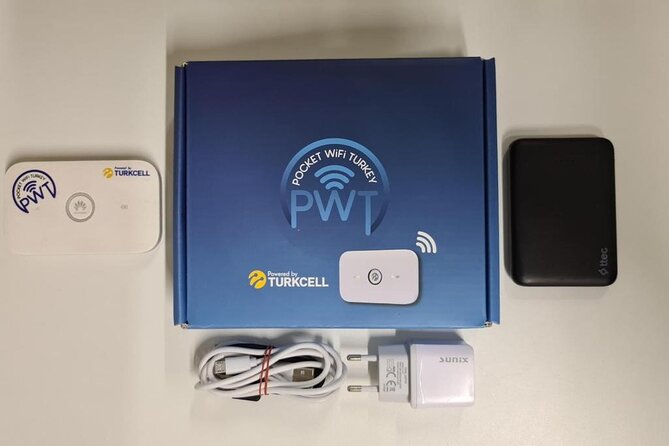
This service starts at Istanbul Airport, Tayakadın, Terminal Caddesi No:1, 34283 Arnavutköy/İstanbul, Türkiye. The start time shown is 12:00 am, and the experience ends back at the meeting point. Practically, that means you should expect a pickup-and-return style experience tied to your travel dates.
What I like about airport-based pickup is timing. If you’re landing and want data immediately, you don’t have to wait until you reach a hotel or figure out local SIM counters. You can set it up early and use it right away for airport directions, ride info, and messaging people you’re meeting.
One more practical note: the address is specific. When airport counters are busy, being able to point to the exact location helps. When you book, make sure you have the confirmation details and the correct pickup spot in your message/email, then arrive with buffer time. Mobile pickup counters can have lines, and you don’t want to be standing around without a working connection while you wait.
Passport and registration: the part that matters most
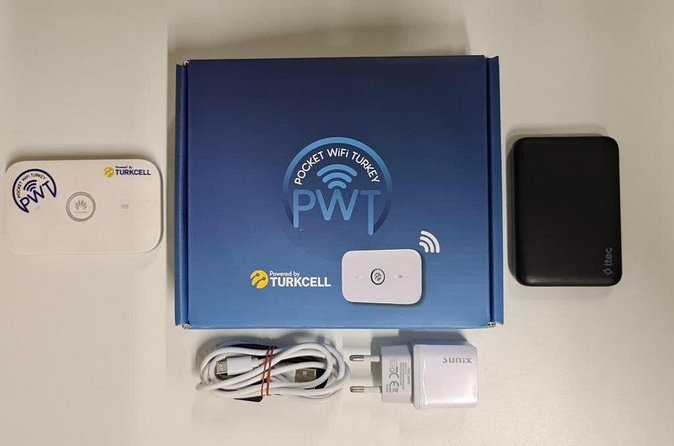
Pocket WiFi here uses a SIM card. The company is listed as a Turkcell official agent, and they register the SIM on your behalf. That’s not just a tech note—it’s the key step that lets the device work in Turkey.
You’ll need to provide your passport to an employee and sign a subscription agreement for the SIM registration. That means you should plan to keep your passport accessible and not stuffed somewhere annoying inside a bag. If you’ve ever had a travel day where you’re searching for a document, you already know how costly that can feel.
Why I think this is valuable: doing registration for you removes a lot of friction. In some countries, the hardest part of getting mobile data isn’t buying a SIM—it’s the paperwork and activation steps. Here, the process is handled at pickup, so you can focus on getting connected rather than negotiating registration rules.
Getting online: how the pocket WiFi experience works day to day
Once activated, your pocket WiFi device creates a personal wireless connection. You can connect other people to the same WiFi zone, which is helpful for:
- sharing navigation between phones,
- messaging and WhatsApp (when WiFi is stable),
- using rideshare or transit apps without relying on roaming.
In Istanbul, this is especially useful because your day often involves short bursts. You might be reading a map in one neighborhood, hopping to another, and then taking a break somewhere with spotty WiFi. A pocket device travels with you, so your connection moves with your plans.
Keep expectations practical. Pocket WiFi depends on mobile network coverage, and signal strength can change based on building density, time of day, and where you are in the city. The service information doesn’t specify network bands or performance guarantees. So the best approach is to use it like a trip tool: fantastic for day-to-day connectivity, but not the same as a guaranteed fixed broadband line.
The main risk: signal dropouts and how to respond fast
One feedback item is a clear red flag: a rental that worked for the first few days, then lost signal. The user said they couldn’t reach support via phone or WhatsApp to ask about the status.
Here’s what matters for your planning: the provider responded and said they tried to reach the customer after seeing the issue, and that a phone number on the box can be used with 24/7 support. That tells me two things.
- They treat problems as something you should contact them about immediately.
- You should not throw away the materials on the device box. That phone number is likely your fastest lifeline.
If you want to reduce stress, test the connection early. In the first day, try sending a couple of messages, opening your main mapping app, and running whatever tools you rely on most. If something is wrong, it’s easier to fix early than after you’ve built a routine around it.
If signal drops later, don’t assume it’s always your fault (or your phone’s fault). Istanbul’s conditions can be variable. Still, do the basics: restart the device if instructed, move a short distance to check signal, and then contact the number on the box for help.



Price and value for $60.47 per group (up to 1)
The price is listed as $60.47 per group (up to 1). Duration is 1 to 30 days (approx.). That pricing structure suggests you’re paying for the device service per rental window, not per day granularly (at least not in the info provided).
To judge value, I’d think in terms of what you’re buying:
- You’re buying convenience (no roaming surprises).
- You’re buying flexibility (internet on demand during movement).
- You’re buying shared access (so your friend doesn’t need their own plan if they can connect to your WiFi).
The value gets better if:
- you’re relying on maps frequently,
- you’re coordinating meetups,
- you need messaging and travel apps to work reliably.
The value might be weaker if:
- you’ll mostly be offline or relying on WiFi at a hotel,
- you’re traveling solo with minimal need for constant connectivity,
- your plan is very short and you’re okay with occasional offline maps.
Also consider the “up to 1” detail. If you and a travel companion both need strong connectivity all day, confirm how many devices can connect at once to the pocket router. The info says you can share with other people, but it doesn’t specify connection limits. If you need everyone’s phone active at full power, it’s worth making sure you’re not overloading the WiFi.
Duration: what 1 to 30 days means for your planning
The rental range is wide: 1 to 30 days (approx.). That makes it fit both quick city stops and longer Turkey stays.
If you’re renting for only a few days, the real question is whether the cost feels worth it against roaming alternatives. For short trips, I usually treat Pocket WiFi as an “avoid headaches” purchase. You’re paying to skip the hassle of local setup and reduce the chance of arriving to day one without working data.
If you’re renting longer, think about practical usage: keep the device charged and plan where you’ll top it up each day. The info doesn’t list charging habits or power capacity, so I won’t pretend specifics. But practically, pocket routers are only useful if they stay powered, and you don’t want low battery to ruin your navigation at the worst moment.
Who this Pocket WiFi plan suits best
This is a good fit if you want a straightforward connectivity tool in Istanbul without dealing with mobile plan confusion. It’s especially handy for:
- couples or small groups where you want one connection shared,
- people planning to use navigation and messaging constantly,
- anyone who hates the idea of hunting for stable public WiFi.
It may be less ideal if:
- you’re extremely budget-focused and already plan to use WiFi only,
- you can tolerate occasional connection issues without adjusting your day,
- you’d rather use a phone’s own SIM solution and handle it yourself.
One more helpful point from the setup: most people can participate. That indicates the process isn’t restricted in a complicated way beyond what’s already stated (passport and signature).
Should you book Pocket Wifi Turkey – Unlimited?
I’d book this if your top priority is staying connected smoothly from the moment you land, with Turkcell SIM registration handled for you and the convenience of a pocket device you can share. The pickup at Istanbul Airport is also a strong plus for first-day usability.
I’d think twice if you’re the type of traveler who becomes anxious without a backup plan for signal problems. One feedback described a later signal loss, and while the provider notes 24/7 support via a phone number on the box, you still want to test and confirm your connection early.
If you decide to go for it, do a quick checklist on day one: confirm the network works, test messaging, and keep the support number you receive on the box materials. That turns a potentially stressful scenario into something manageable.
FAQ
FAQ
Where do I pick up the Pocket WiFi device?
You pick up the service at Istanbul Airport (Tayakadın, Terminal Caddesi No:1, 34283 Arnavutköy/İstanbul, Türkiye). The activity also ends back at the meeting point.
What time does the experience start?
The listed start time is 12:00 am. You should rely on the time details you receive at booking confirmation.
How long can I rent the unlimited Pocket WiFi?
The rental duration is listed as 1 to 30 days (approx.).
Do I need a passport for pickup?
Yes. You have to provide your passport to the employee for the SIM registration process.
Does the device work with a SIM card?
Yes. The Pocket WiFi works with a SIM card, and the Turkcell SIM registration is done on your behalf.
Is it really unlimited?
The package is described as Pocket Wifi Turkey – Unlimited. The information provided doesn’t include technical speed or usage-limit details, so performance can still vary based on mobile network conditions.
Can I share the connection with others?
Yes. The device creates a personal WiFi zone that you can share with other people.
Do I have to sign anything at pickup?
Yes. You must sign a subscription agreement for registration of the Turkcell SIM card.
What if I have a signal problem?
One feedback mentioned a signal issue after the first few days. In the provider’s response, they indicated there is a phone number on the box and that support is available 24/7.
Can I cancel for a full refund?
Yes. There is free cancellation. You can cancel up to 24 hours in advance of the experience’s start time for a full refund, based on local time.